 Vigny DMA
Vigny DMA / CUSTOMER CHECKLIST
HDMI fuser buying and connection checklist
Check an HDMI fuser against your display resolution, refresh rate, source devices, ports, cables and power requirements before selecting a DMA bundle.
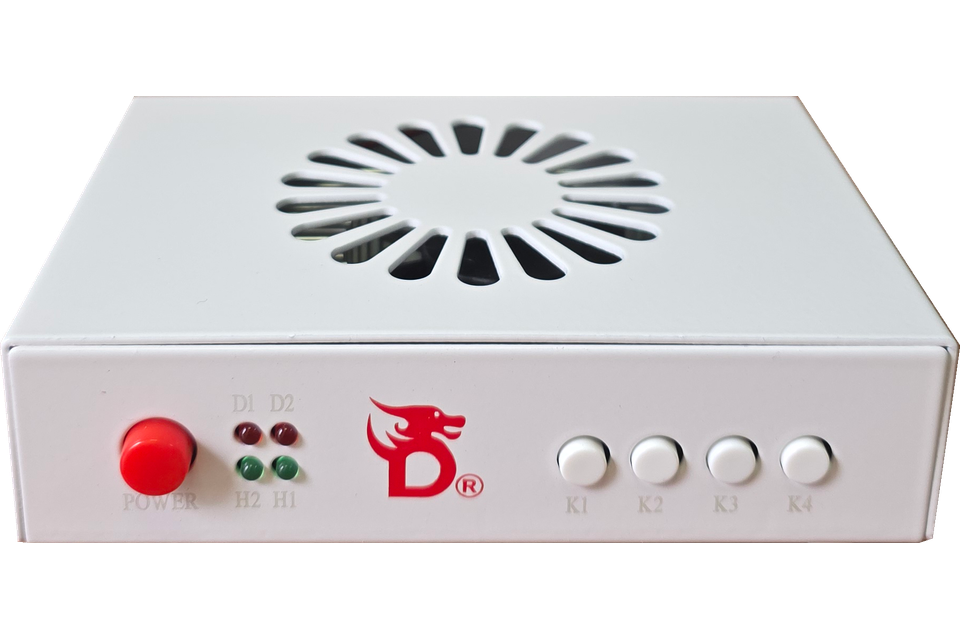
What is the fuser's role?
In the setup shown by Vigny DMA, the fuser sits in the display connection path. It is a separate component from the DMA card and the mouse controller. Choosing a card does not by itself establish which fuser or monitor configuration is compatible.
The shop includes models such as Mini Fuser-1k, DC 240-1K, D60-4k and DC686-4K. Compare the exact supported modes with support; this article does not infer resolution or refresh-rate guarantees from model names.
Match the complete display mode
Write down your monitor model, desired resolution and refresh rate, source-device outputs, and the input you plan to use. Ask about the complete combination, not just whether a device is described as “4K”. A supported resolution and a supported refresh rate are not automatically supported together.
- Confirm the specific HDMI input and output connections shown in the model guide.
- Ask whether your exact color mode, HDR, variable-refresh-rate or audio requirements are supported; do not assume them.
- Include any DisplayPort-to-HDMI adapter or capture hardware in the compatibility question.
- Check cable and power requirements for the selected model and bundle.
Plan the connections before powering on
Use the fuser setup instructions for the exact model. Label source and display cables before connecting them. Follow the documented power sequence and supply rating; do not substitute a power supply merely because its plug fits.
The Fuser Power Plug Adapter adapts plug shape only. It does not convert mains voltage. Check the power supply's input voltage and local socket compatibility before use.
What to check when there is no picture
First verify the display source and selected monitor input using a simple known-working connection. Then follow the model guide to isolate one cable, source or supported display mode at a time. If a requested mode is not confirmed compatible, ask support instead of assuming a faulty unit.
Provide the fuser and monitor models, requested resolution/refresh rate, cable route and the point where the picture disappears. For a complete purchase, also review the DMA card buying checklist. Current prices and availability remain on the product pages, not in this article.
Three checks before choosing an HDMI fuser
Is “4K” enough information?
No. Send the complete requested mode, including resolution and refresh rate, and identify every source, adapter, cable and display in the path. Ask about HDR, color mode, audio and variable refresh rate separately if you need them. Do not turn a model label into a claim about an untested combination.
Does the cable label matter?
HDMI Licensing Administrator describes distinct cable categories and certification labels. Use the official cable name and certification information when checking the cable you own, rather than its connector appearance alone. Cable certification does not establish the capabilities of your fuser or certify the whole setup. Source: HDMI Cable Overview.
What information helps with a black screen?
Write the connection path from source to display, the selected input, exact monitor model and requested mode. Note whether the source works when connected directly to the monitor. Send that information with the fuser model; it is a starting point for support, not proof that the fuser is defective.